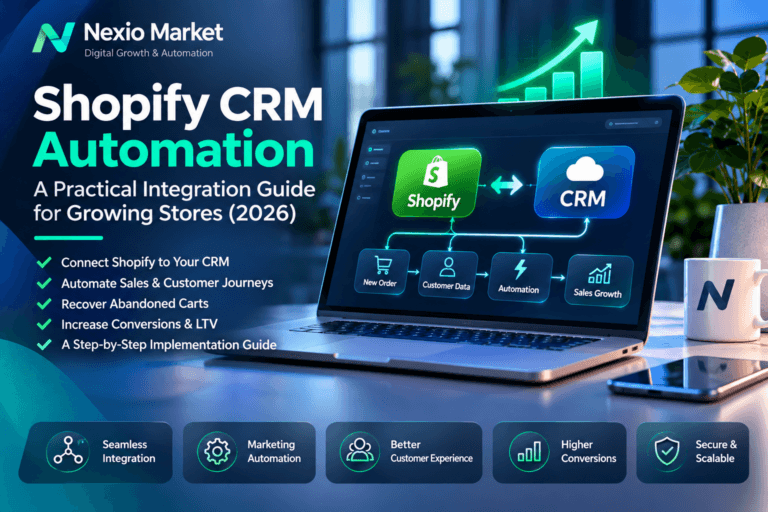
Customer records in one app, orders in another, and follow-ups in a spreadsheet: this is where growing stores lose time. Shopify CRM automation connects these activities so your team can work from consistent information and act on the right events.
This Shopify CRM integration guide explains five practical workflows, the architecture behind them, and the checks needed before launch. It also covers costs and measurement for merchants and operations teams serving the United States, Europe, the United Kingdom, and the UAE.
What Is Shopify CRM Automation?
Three related concepts play different roles. CRM integration connects Shopify with your customer relationship management system. Data synchronization keeps selected records aligned over time. Workflow automation applies a business rule when a relevant event occurs.
For example, integration provides access to an order. Synchronization updates the customer’s order history in the CRM. Automation then creates a task for an account manager when an eligible business customer places an order.
A connector can move data without providing a reliable follow-up process. Therefore, define both the information your team needs and the action that information should trigger. Start with one workflow that has a clear owner and a measurable problem.
Five Shopify CRM Automation Workflows That Matter
1. Customer and order synchronization
Shopify customer data synchronization should connect each store customer to the correct CRM record. Use stable platform identifiers, scoped to the store, and preserve the relationship between customers and orders. Email can help with matching, but it should not be the only permanent identity key.
Decide which system owns each field. For example, Shopify may own order status, while the CRM owns account assignments. Also define how refunds, guest orders, changed addresses, and merged contacts affect the record. This prevents a later sync from overwriting a valid correction.
2. Lead and customer segmentation
Group customers using relevant, permitted information such as purchase history, product interests, or an explicit wholesale enquiry. Keep prospective leads separate from paying customers so sales reports remain meaningful.
For instance, a second completed purchase could move an eligible customer into a repeat-buyer segment. However, membership in that segment does not establish permission to send marketing. Apply consent and suppression rules separately, and recalculate segments when orders are refunded.
3. Sales-team notifications and follow-ups
Shopify sales automation can create a CRM task when an order or enquiry meets a defined business rule. Include the reason for the task, its owner, a due date, and a link to the relevant record. Avoid copying sensitive order details into a broad team channel.
Next, define escalation rules for overdue tasks. A notification alone is easy to miss; a tracked task creates accountability. Prevent duplicate tasks when the same event arrives again, and leave pricing commitments or unusual requests with a person.
4. Post-purchase customer service workflows
Give authorized support staff the order status they need to answer a customer. A fulfillment update might refresh the CRM timeline, while an approved service exception could create a support task. Keep operational service messages separate from promotional campaigns.
For example, a refund should update the customer’s history and stop an inappropriate follow-up. Before enabling messages, test cancellations, partial fulfillment, and partial refunds. These cases often reveal gaps that a simple successful-order test misses.
5. Abandoned-checkout follow-up
Checkout recovery depends on available Shopify features, supported channels, connector access, and the customer’s eligibility. An anonymous cart is not automatically an identifiable lead. Confirm what the chosen integration actually exposes before promising a CRM recovery workflow.
Shopify’s new abandoned-checkout automation defaults to customers subscribed to email marketing. Review the official abandoned-checkout guidance and the store’s settings. A setting that permits sending is not, by itself, legal permission.
Use one coordinated sender, respect opt-outs, and check for a completed purchase before sending. Otherwise, Shopify and the CRM may send overlapping reminders or contact someone who already bought.
Shopify CRM Integration Architecture
Choose the simplest architecture that supports your required fields, failure handling, and data controls. Compare the following approaches before committing to a subscription or custom build.
Native Shopify CRM automation connectors
A supported native connector is a useful starting point for standard customer and order sync. Check the direction of synchronization, update delay, supported fields, and treatment of deletions. In addition, ask how failed records are reported and replayed.
The main trade-off is control. A connector may work well for standard records but omit custom fields, historical data, or a specific event your team needs. Test those requirements with representative records before rollout.
Integration platforms for Shopify CRM automation
An integration platform can coordinate Shopify, a CRM, and other tools through configured triggers and actions. This can reduce initial development work for multi-step Shopify workflow automation.
However, review execution limits, task-based billing, retry behavior, and access to logs. A workflow that succeeds at low volume may become expensive or build a backlog during a sale. Make sure your team can export its configuration and recover failed runs.
Custom APIs for Shopify CRM automation
Custom middleware is appropriate when standard connectors cannot meet documented requirements. It gives you control over transformations, queues, and recovery, but also creates a maintenance responsibility. Assign an owner for credentials, API upgrades, monitoring, and incident response.
Use the Shopify GraphQL Admin API with the authentication flow and scopes appropriate to the app. Pin a supported API version in production and test upgrades. Keep access tokens on the server, never in storefront JavaScript.
Reliable data processing for Shopify CRM automation
Write a field map before building. Record the source field, destination field, type, owner, and behavior when a value is missing. Preserve currency codes with monetary values, use consistent timestamps, and distinguish a missing value from an instruction to clear a field.
Webhooks can trigger updates when subscribed Shopify events occur. For HTTPS delivery, verify the HMAC against the raw request body before trusting the payload. Persist accepted work durably, then process it through a queue rather than waiting on a slow CRM during receipt.
Design updates to be idempotent: repeating an event must not create another contact or task. Track authenticated event identifiers and make downstream writes safe to retry. Also protect newer records from older updates and reconcile periodically against the source system.
Retry temporary failures with bounded backoff. Route persistent failures to a review queue with an owner and a safe replay action. Monitor queue age, processing failures, and stale records. Check GraphQL response errors as well as HTTP status codes; an HTTP success response alone is insufficient.
Security, Privacy, and GDPR Considerations
Apply least-privilege access: request only the permissions and customer fields required for the workflow. Shopify’s protected customer data requirements may affect access to particular fields. Test the actual approved access rather than assuming every customer detail will be available.
Store credentials in a managed secret store, restrict access, and document rotation and revocation. Encrypt data in transit. In logs, prefer record identifiers and error categories over full customer payloads. Retain only the data needed for a defined business purpose.
For marketing, preserve the source and timing of relevant consent and propagate withdrawals to connected systems. A purchase does not automatically authorize every future campaign. Keep operational messages, marketing preferences, and other processing purposes distinct.
Where GDPR applies, assess lawful bases, controller and processor roles, retention, and rights requests. Map where the CRM, integration provider, backups, and support teams process data. The EDPB guidance on international transfers explains why transfers outside the EEA need assessment.
Businesses serving the UK, US, and UAE should also review applicable local requirements with qualified advisers. No connector or technical configuration provides a universal legal-compliance guarantee. Test deletion handling so a later replay does not recreate a record that should remain removed.
Shopify CRM Automation Costs
There is no useful universal price for ecommerce CRM integration. A one-way customer sync and a custom multi-store service have different scopes. Request an estimate based on specific workflows, data volumes, and acceptance criteria.
- Implementation: discovery, field mapping, data cleanup, connector setup or development, testing, and staff training.
- Software: CRM seats, connector subscriptions, integration platform tasks, and any required app features.
- Operations: hosting, logs, monitoring, incident handling, API upgrades, and ongoing support.
- Complexity: historical imports, two-way updates, multiple stores, custom fields, and privacy requirements.
Ask suppliers to separate one-time work from recurring charges. Also define usage assumptions and what happens when volume exceeds them. Include the cost of failed-run review; a low subscription price can hide substantial manual work.
Measuring ROI and Operational Performance
Establish a baseline before enabling Shopify CRM automation. Use consistent definitions and compare similar periods. Otherwise, seasonal demand or a new advertising campaign may look like an integration improvement.
- Manual hours saved: record time spent on entry and reconciliation, then subtract ongoing review time.
- Duplicate-record rate: count duplicate contacts against the same population of processed customers.
- Response time: track median and slower-case times from an eligible event to a meaningful response.
- Error rate: distinguish first-attempt failures from records still unresolved after retries.
- Customer retention: compare repeat-purchase cohorts over an appropriate observation window.
- Sales outcomes: measure attributable orders, refunds, and contribution margin using a defined attribution method.
Illustrative calculation, not a Nexio Market performance claim: assume a team saves 20 hours per month at an internal value of $25 per hour. That represents $500 in released capacity. If recurring costs are $200, the illustrative net monthly benefit is $300 before setup costs.
Under those assumptions, a $1,800 setup would have a six-month simple payback. This excludes taxes and uncounted costs, and assumes the benefit persists. Released capacity is not necessarily a cash saving, while an attributed sale is not necessarily an incremental sale. Use a suitable control group where practical.
Implementation Checklist
- Choose one workflow, a business owner, and a measurable acceptance target.
- Confirm the store, CRM, supported features, required permissions, and approved customer-data access.
- Define field ownership, stable identifiers, consent handling, and retention rules.
- Test representative records, including guest orders, refunds, and missing fields.
- Verify webhook authenticity and test duplicate and out-of-order delivery.
- Test outages, API throttling, expired credentials, and safe replay after failure.
- Reconcile a historical sample and confirm that imports do not trigger unwanted messages.
- Prepare monitoring, alerts, a recovery procedure, and a rollback plan.
- Run a limited pilot and obtain the workflow owner’s acceptance.
- Review measured results before extending automation to more customers or stores.
Frequently Asked Questions
Can Shopify integrate with my existing CRM?
Often, yes, through a supported connector, an integration platform, or a custom API service. However, compatibility must include your required fields and actions, not just the names of both products. Test a small set of real scenarios first.
Does Shopify CRM automation require custom code?
No. A native connector may cover a straightforward workflow. Custom code becomes useful when required transformations, recovery controls, or business rules exceed the connector’s capabilities. Choose it to resolve a proven gap.
Should synchronization work in both directions?
Only when the business requires it. Two-way sync needs explicit field ownership and conflict rules. For example, let Shopify own order status while the CRM owns sales tasks. Prevent updates from bouncing repeatedly between systems.
Can a CRM automatically follow up on every abandoned cart?
No. Available identity data, channel support, feature access, and permission to contact the customer all matter. Confirm the store’s recovery capabilities and suppression rules. Avoid treating every incomplete cart as a marketable lead.
How long does a Shopify CRM integration take?
The timeline depends on access, data quality, scope, and testing. Ask for a schedule tied to discovery, a working pilot, failure testing, and rollout. A fixed promise without those inputs is not a dependable implementation plan.
What happens if the CRM is unavailable?
A resilient design preserves accepted events, retries temporary failures, and alerts an owner when recovery stalls. It also provides reconciliation and safe replay. Confirm these behaviors during testing rather than discovering them after launch.
Official Technical References
- Shopify GraphQL Admin API reference — supported operations, authentication, and error handling.
- Shopify webhook overview — event subscriptions and delivery behavior.
- Shopify webhook verification — authenticating deliveries and handling repeated events.
- Shopify protected customer data — access requirements and data controls.
Check current documentation and the installed integration’s capabilities before deployment. Use the latest reference for research, while keeping production requests on an explicitly supported version.
Work With Nexio Market
Nexio Market provides web development, automation, and connected digital solutions. Explore our web and automation services to see how these capabilities fit a broader business project.
For a scoped Shopify CRM automation discussion, share your CRM, store count, approximate order volume, and the workflow causing the most manual work. Contact Nexio Market to review the integration requirements and define a practical first stage.